Vectors
Vectors is the basic unit in R.
Creating Vectors
One way to create vectors is to use the c function.
# We may create vectors of class numeric or character with the concatenate function
codes <- c(380, 124, 818)
country <- c("italy", "canada", "egypt")

# We can also name the elements of a numeric vector
# Note that the two lines of code below have the same result
codes <- c(italy = 380, canada = 124, egypt = 818)
codes <- c("italy" = 380, "canada" = 124, "egypt" = 818)

# We can also name the elements of a numeric vector using the names() function
codes <- c(380, 124, 818)
country <- c("italy","canada","egypt")
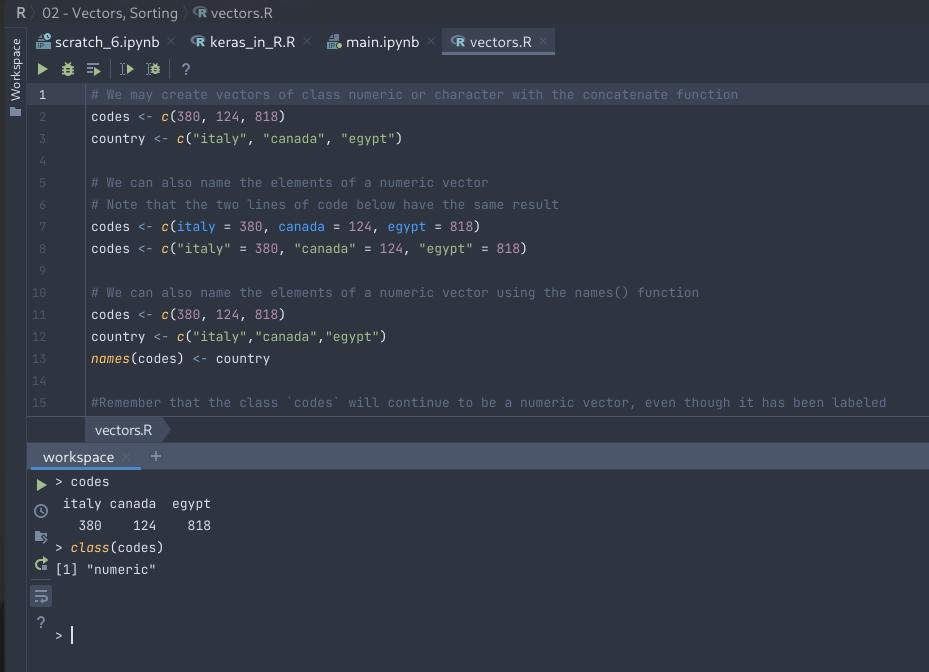
names(codes) <- country

#Remember that the class `codes` will continue to be a numeric vector, even though it has been labeled
Creating Sequences
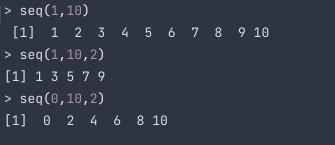
We use seq() to generate number sequences.
The syntax is:
seq(start, stop, step)
start: the first number in the sequence
stop: the last number in the sequence
step: the step size between numbers in the sequence
Note: If you want consecutive numbers, use can use this shortcut 1:10 --> start:stop
Accessing Elements in a Vector
We use [] to access stuff in vectors
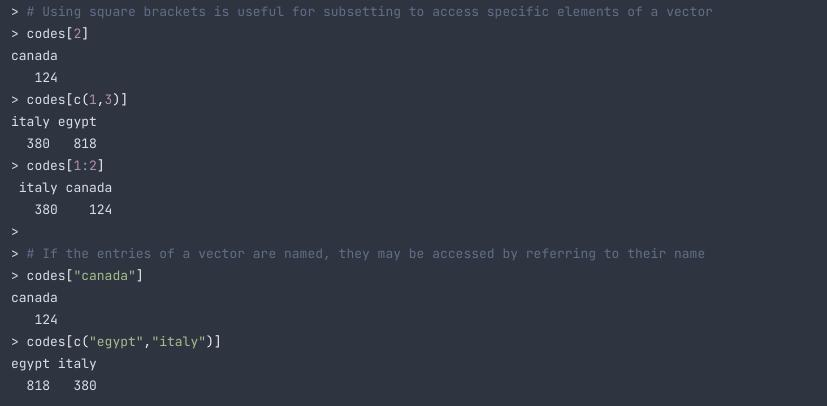
# Using square brackets is useful for subsetting to access specific elements of a vector
codes[2]
codes[c(1,3)]
codes[1:2]

# If the entries of a vector are named, they may be accessed by referring to their name
codes["canada"]
codes[c("egypt","italy")]
The seq() function has another useful argument. The argument length.out. This argument lets us generate sequences that are increasing by the same amount but are of the prespecified length.
For example, this line of code
produces the numbers 0, 25, 50, 75, 100.
Vector Coercion
When we define a vector, but with non-same data types, R tries to guess the data type of the elements.
Look at the following example to get more idea on this.
Here, the variable x included char and int.
But when storing the variable, it took all as strings
Forcing Coercion
You can use as.character() to force the coercion of a vector to character.
> x <- 0:10
> y <- as.character(x)
> y
[1] "0" "1" "2" "3" "4" "5" "6" "7" "8" "9" "10"
> class(y)
[1] "character"
Sorting
We will be using the murder dataset here.
sort() by default sorts them in ascending order
library(dslabs)
data(murders)
sort(murders$total)

>
 [1]    2    4    5    5    7    8   11   12   12   16   19   21   22   27   32   36   38   53   63   65   67   84   93   93   97   97   99  111  116
[30]  118  120  135  142  207  219  232  246  250  286  293  310  321  351  364  376  413  457  517  669  805 1257
order() function returns the indices that is sorted by the given parameter.
> x <- c(31, 4, 15, 92, 65)
> sort(x)
[1]  4 15 31 65 92
> index <- order(x)
> x[index]
[1]  4 15 31 65 92
> order(x)
[1] 2 3 1 5 4
Vector Arithmetic
Arithematic operations are performed elemntwise in R.
Now we will try calculateing murder rate with the help of our dataset
# The name of the state with the maximum population is found by doing the following
murders$state[which.max(murders$population)]

# how to obtain the murder rate
murder_rate <- murders$total / murders$population * 100000

# ordering the states by murder rate, in decreasing order
murders$state[order(murder_rate, decreasing=TRUE)]